Website with online ordering
Your restaurant's website with a menu, sizes and add-ons, promo codes, delivery and takeaway. A guest places an order in a couple of taps, no sign-up. Russian, Tajik and English.
your-cafe.osonresto.com
For cafes and restaurants in Tajikistan. Guests order from the website and by QR at the table, and the order goes straight to the till, the kitchen screen and Telegram.
14 days of the Pro plan free. No card needed.
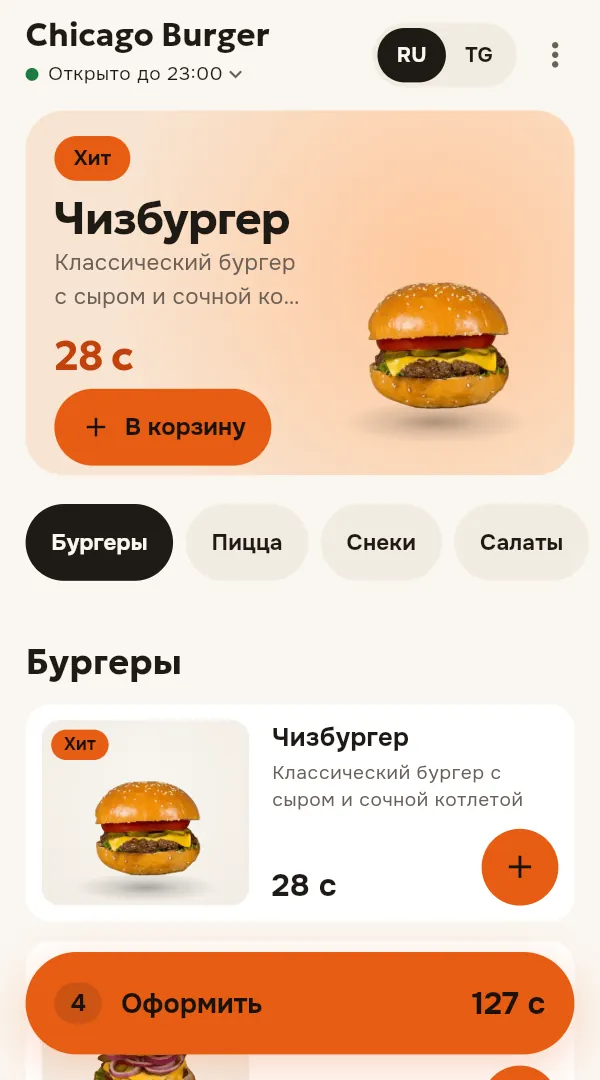
Your restaurant's website with a menu, sizes and add-ons, promo codes, delivery and takeaway. A guest places an order in a couple of taps, no sign-up. Russian, Tajik and English.
your-cafe.osonresto.com
Dine-in, takeaway and delivery. Open tabs, discounts, payment by cash, card and transfer, and shifts with a report: how much money should be in the till.
Keeps working when the internet drops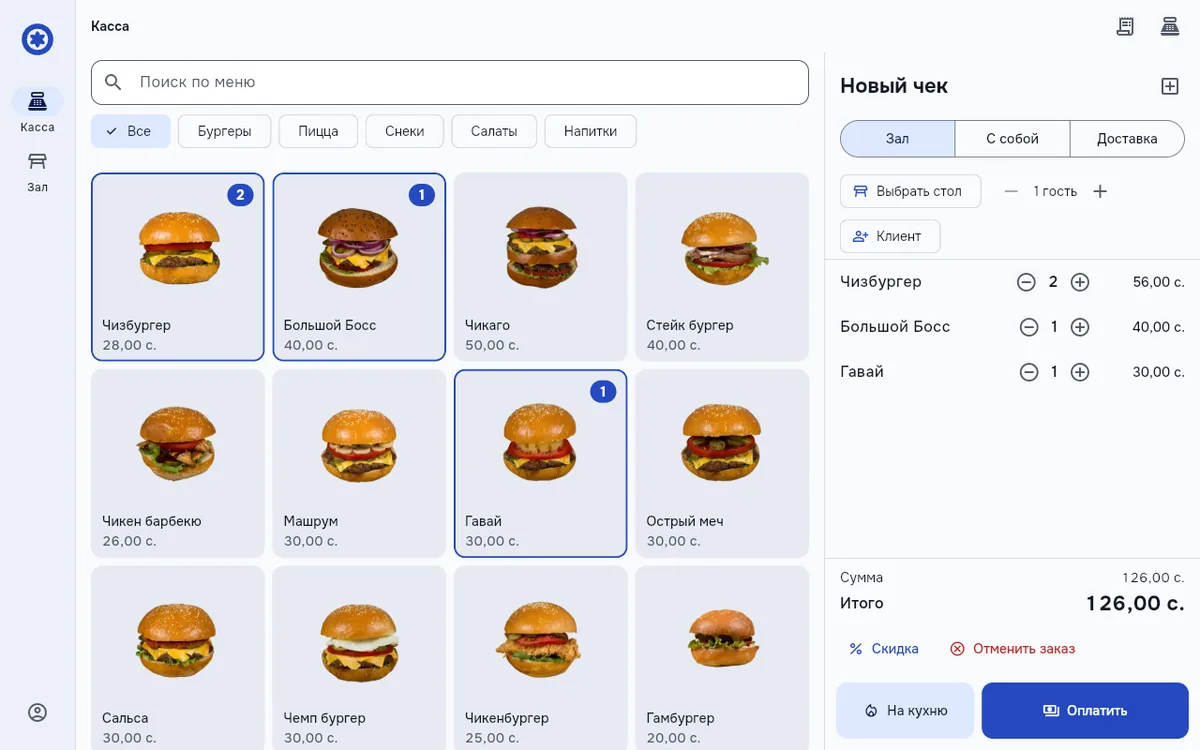
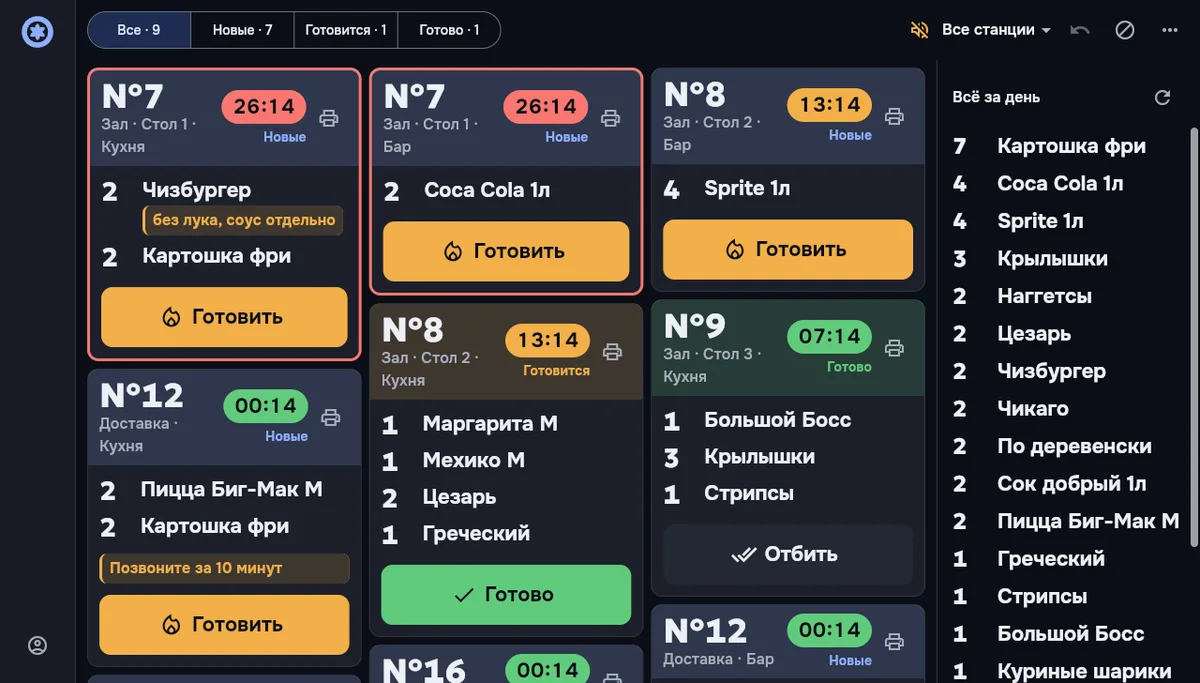
Orders by station with a timer: the colour changes when a dish runs late. The stop list is managed right from the kitchen.
Floor plan showing who sits where, ordering at the table, sending to the kitchen and the bill, all from a phone.
The guest scans the code, orders, calls a waiter or asks for the bill. No app to install.
Zones and tables, reservations by time and party size, a waiting list.
Menu and prices, opening hours, staff and roles, promo codes, reports on revenue and dishes.
A new order lands in the restaurant's chat right away, so someone who is away from the till sees it too.
For cafes and fast food with delivery, restaurants with a dining room and waiters, and small chains of up to five venues.
Chicago Burger in Bustan was the first to move to the platform: its menu, online ordering and order notifications now run on OsonResto. You can open its website at chicagoburger.osonresto.com.
You can try ordering as a guest in the demo restaurant: demo.osonresto.com.
Enter your number and the code from the SMS. You will use this number to sign in to the till later.
Name, city and website address. Your website opens right away at an address like your-cafeosonresto.com, and a sample menu keeps it from looking empty.
The till opens right in the browser. You add dishes and staff, open the kitchen screen on a tablet, and put QR codes on the tables.
Prefer not to do it yourself? Leave a request, and we will set everything up.
| Free0somoni/mo | Start199somoni/mo | Pro499somoni/mo | |
|---|---|---|---|
| Venues | 1 | 1 | up to 5 |
| Staff | up to 3 | up to 15 | up to 100 |
| Website with online ordering | |||
| Till | |||
| Kitchen screen | |||
| Tables and floor plan | |||
| Waiter app | no | ||
| QR ordering at the table | no | ||
| Delivery | no | ||
| Reservations | no | ||
| “Order ready” screen for guests | no | ||
| Staff notifications on their phones | no | ||
| Happy hours and discounts | no | ||
| Reports in Excel | no | ||
| Inventory and recipe cards | no | no | |
| Guest bonuses | no | no | |
| Shift schedule and tips | no | no |
14 days of Pro, free
A new restaurant gets every feature right away. Afterwards you pick a plan or stay on Free: the till, the kitchen screen, tables and the website keep working. A mobile app with your own branding is set up separately.
You pick a plan and pay by bank transfer, no card needed. If you pick nothing, after a week the restaurant moves to Free: the till, the kitchen screen, tables and the website keep working, the other sections close, but your data is kept and comes back with a plan.
The till and the waiter app keep working: orders and payments are saved on the device and are sent on their own when the connection returns. The screen shows how many are waiting to be sent. Orders from the website and by QR are accepted meanwhile too: the till shows them as soon as the internet is back.
In the browser on a tablet, a computer and a phone. The till and the kitchen screen are more comfortable on a tablet or a computer, and a phone is enough for a waiter. You do not need to buy special equipment.
Yes. The website works right away at an address like your-cafe.osonresto.com. We connect your own address together with you: we tell you what to click at the company where you bought the address, and set up the rest ourselves. Message us on Telegram: @MubiDev.
The menu, orders and customers are stored in the secure OsonResto system and encrypted in transit. Staff see only what their work needs: a cook sees the kitchen, a cashier the till, the owner everything. Passwords for connected services, such as Telegram, are not visible even in settings.
Leave a request and we will call you back.
Or message us on Telegram: @MubiDev
Thank you. We will call .